

How to Reconcile a Bank Statement for a Small Business Without Losing Track of Transactions
· TransactionFlow
How to reconcile a bank statement for a small business comes down to one habit, matching what your records say should happen to what the bank actually posted. In 2026, 88% of small businesses experienced cash flow disruptions, and reconciliation is one of the few routine checks that catches the mismatch before you base decisions on it.
Key Takeaways
| What to do | Why it matters | What to check |
|---|---|---|
| Start with the exact statement period | You avoid “missing months” errors | Statement start and end dates |
| Export or print the bank statement lines | You need a complete, fixed source | Beginning balance, ending balance |
| Compare deposits and withdrawals line by line | Most reconciling breaks here | Amounts, dates, reference numbers |
| Investigate timing items | They explain “off by a few days” | Outstanding checks, deposits in transit |
| Document adjustments you make | So your monthly bookkeeping close stays clean | Who approved, why it changed |
| Use software to reduce rework | Bank statement categorization is faster when it’s consistent | Bank reconciliation software or bookkeeping software |
- Question: “What does a bank reconciliation actually prove?” Answer: It proves your bookkeeping software’s cash activity matches the bank statement for the same dates, so your books are not drifting.
- Question: “Do I need special tools to reconcile monthly?” Answer: No, but using bookkeeping software for accountants or bank reconciliation software can reduce manual matches.
- Question: “Where do I start if transactions are messy?” Answer: Start with a single bank account and the month you are closing, then build a checklist you repeat every month.
- Question: “Can we reduce duplicate work?” Answer: Yes. We can use a workflow that reads statements and asks you to review exceptions, like TransactionFlow for continuous small-business bookkeeping.
Limit to note: Reconciliation will not fix transactions you recorded in the wrong bank account, or months you categorized under the wrong period. You still need to verify account mapping and dates.
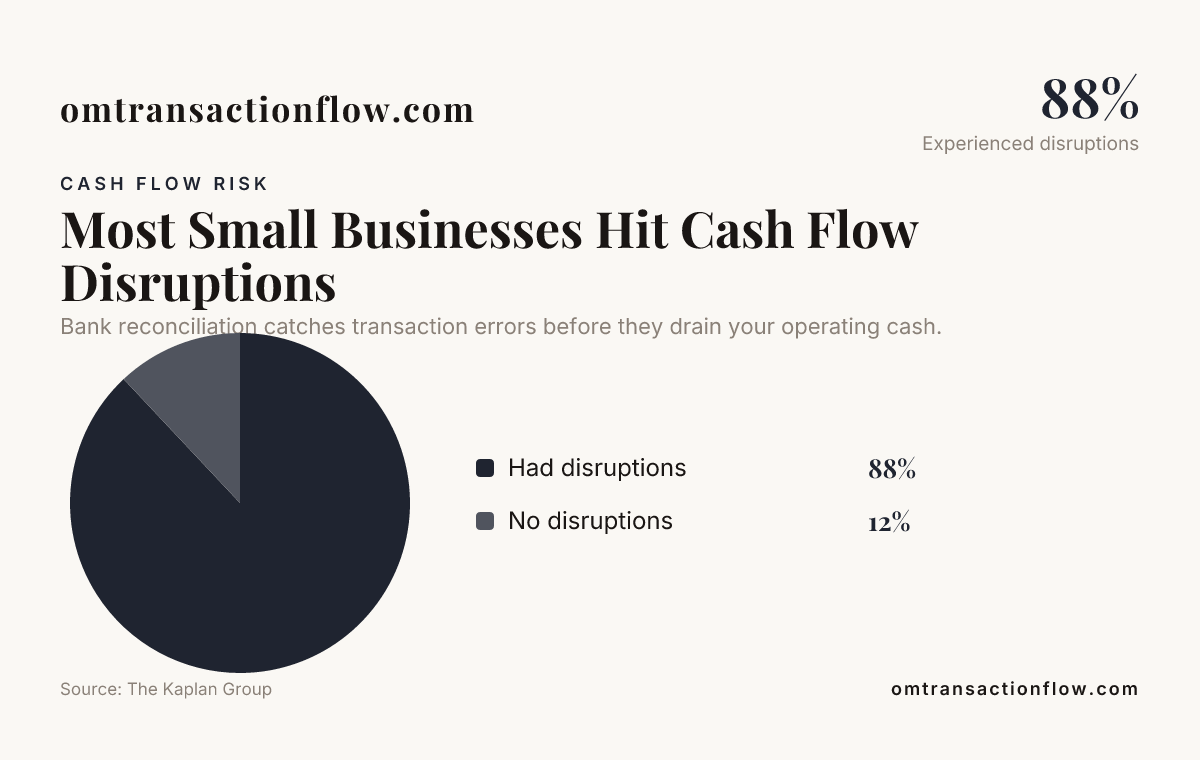
Bank reconciliation catches transaction errors before they drain your operating cash.
Gather the inputs for reconciliation (and lock the dates)
Before you reconcile, you need the exact statement you are reconciling and the exact cash ledger you are comparing it to. If the dates do not match, you will chase phantom differences.
Here is the input checklist we use for how to reconcile a bank statement for a small business every time:
- Your bank statement for one period (for example, 2026-07-01 through 2026-07-31).
- Cash activity in your books for the same bank account and dates (the “cash” section that drives your balance).
- A transaction list export from your bank statement reader or bank website (CSV or PDF is fine).
- Any reconciliation worksheet you use, whether it is a spreadsheet or a ledger report.
Plain-words glossary before you start:
- Beginning balance is what the bank says your account had at the start of the statement period.
- Ending balance is what the bank says your account had at the end of the period.
- Outstanding checks are checks you recorded but the bank has not cleared yet.
- Deposits in transit are deposits you recorded but the bank has not posted yet.
Admit the limit: If you use multiple bank accounts for one kind of activity, like a main checking account plus a separate payroll account, you must reconcile each one separately. “One reconciliation for everything” leads to wrong cash balances.
Match bank statement lines to your records line by line
This is the core of how to reconcile a bank statement for a small business. You compare every deposit and withdrawal the bank listed to the transaction records in your accounting books.
In plain terms, you are doing three comparisons:
- Amount match (for example, a $1,245 deposit matches a $1,245 recorded deposit).
- Date match (or explain why the bank posted it a different day).
- Reference match (invoice number, vendor name, card last 4 digits, check number).
Where mismatches usually hide:
- Bank fees that your books recorded late or not at all (monthly service fees, chargeback fees, wire fees).
- Merchant processing deposits that combine multiple customer payments into one deposit.
- Reversals (a debit posted, then later reversed, often with a new reference).
- Timing differences (you recorded on the day you issued the payment, the bank cleared later).
Concrete rule we use: If you cannot match a line to a specific book entry, mark it as “unmatched” and stop. Do not force it into a random category.
Limit to note: If you recorded transactions without tracking a vendor, customer, or memo field, you will spend extra hours rebuilding context. Better bank statement categorization starts with better labels in your books.
Handle common timing items without breaking your books
When you reconcile, you will inevitably find transactions that belong in your books but did not clear during the statement period. These are timing items.
Here is how to treat them in a monthly process that supports your monthly bookkeeping close:
- Outstanding checks: You keep the checks in your books, and you leave them unmatched until the bank clears them in a later statement.
- Deposits in transit: You keep them recorded in your books, then you confirm the bank posts them on the next statement.
- Bank-posted interest: You post it to income when it hits the bank statement, not when you think it “should” arrive.
- Credit card payouts: If your merchant statement deposits follow a separate schedule, you reconcile using the cash movement schedule on the bank statement.
Use numbers to keep yourself honest. For example, if you have:
- Ending balance per bank statement: $47,200.00
- Ending balance per books: $46,900.00
- Net unmatched timing items: $300.00
If the timing items total does not explain the difference, you have more than timing. You have either a missing entry, a duplicate, or a category mistake.
Limit to note: If you wait 60 to 90 days between reconciliations, timing items can multiply. The fix is not “work harder,” it is reconciling more frequently, at least monthly, and sometimes weekly for high-transaction accounts.
Fix unmatched items with a clear approval trail
Once you match what you can, you correct what you must. This is where how to reconcile a bank statement for a small business turns from “comparison” into “adjustment.”
We recommend you sort unmatched items into three buckets before you touch your books:
- Bank-only: Something appears on the bank statement but not in your books. Example: a $45 bank fee.
- Book-only: Something is in your books but not on the statement period. Example: a $2,300 check not yet cleared.
- Both, but wrong: Same reference, different amount or category. Example: a $120 charge coded to Supplies instead of Advertising.
Then apply adjustments with numbers and dates you can defend. For example:
- If you find a bank fee of $34.95 posted on 2026-07-18, you record it as an expense for July and confirm it closes to zero by the end of the reconciliation.
- If you find a duplicate deposit recorded twice for $980.00, you remove the duplicate and document why.
Plain-words jargon: Your bank statement categorization is the process of assigning each bank line to an expense, income, transfer, or balance-sheet category in your books.
Cost and price out loud: If you pay us for cleanup, reconciling mistakes cost more than doing it right the first time. Rework time varies, but a common pattern is 2 to 5 extra hours per month when duplicates or missing fees pile up.
Use bank reconciliation software to reduce manual matching
Manual matching works, but it slows you down. In 2026, many small-business owners and the people who support them want tools that help with bank statement reading, categorization, and review queues.
When we evaluate bank reconciliation software or small business bookkeeping software, we look for one thing first: does it read the statement lines and help you verify them, not just import files?
One example from the research is TransactionFlow product of Nalepa Labs. The homepage states:
- TransactionFlow: $65 (price shown on the site)
- GL Advanced: $45 (optional module price shown on the site)
- Open Mind Ledger analytics: $149 (optional module price shown on the site)
The page also says it turns “bank feed, statement, invoice, and bill into books” and includes a “short review queue” where you make judgment in plain language. That matches how accountants want reconciling to work, you keep control over exceptions.

How this supports your workflow:
- It helps with bank statement categorization by organizing and verifying transactions.
- It supports month-end with a guided month-end close approach, which reduces last-minute hunting.
- It still requires your review when confidence is not high, which is how you avoid silent errors.
Admit at least one limit: Software cannot decide which category is correct when your underlying data is incomplete. If your invoices, memos, or vendor names are vague, bookkeeping software for accountants still needs your judgment.
If you want the starting offer mentioned on the site, the “Get Started” page says it includes seven days free and no credit card required for the platform price, but it does not list the exact monthly price on that page.

Reality check on costs: If you pay $65 per month for TransactionFlow and add $45 for GL Advanced, that is $110 total before any analytics module. If you add Open Mind Ledger analytics at $149, your total shown price becomes $259 for that bundle. Choose what reduces your hours without paying for features you will not use.
Turn reconciliation into a repeatable monthly close routine
The fastest way to learn how to reconcile a bank statement for a small business is to make it repeatable. That means you do the same steps in the same order every month, with the same definitions of “done.”
Here is a routine we recommend for your monthly bookkeeping close, written like a checklist you can follow:
- Day 1 (or the first business day after month end): Download or export the bank statement for the period.
- Day 1: Compare starting balance and ending balance. If they cannot reconcile, you stop and fix the inputs.
- Day 2: Match deposits and withdrawals you can tie to references in your books.
- Day 3: Resolve timing items and document outstanding checks and deposits in transit.
- Day 4: Record bank-only and book-only corrections with amounts and dates.
- Day 5: Re-run the difference. Aim for a $0 reconciling difference before you close the month.
Where “bookkeeping software for accountants” helps is in repeatability. If it can keep your categorization consistent and highlight exceptions in a review queue, your team does not keep starting from scratch.
Limit to note: If you close the month before reconciliation is complete, you can create a cascading error. That is when you see “fixed later” adjustments show up as messy journal entries.
Common reconciliation mistakes (and how you catch them early)
Most reconciliation failures are predictable. You can catch them before they turn into an hours-long cleanup.
Here are the mistakes we see most often, plus a simple guardrail for each:
- Mistake: Reconciling against the wrong statement period. Guardrail: Confirm your statement dates match your books dates.
- Mistake: Forgetting bank fees and interest. Guardrail: Search your statement for “service” or “interest” and ensure each item has a book entry.
- Mistake: Coding transfers as expenses. Guardrail: Transfers should reduce one account and increase another, they should not hit income or expenses.
- Mistake: Recording the same card charge twice. Guardrail: Match by exact amount and reference, then mark the bank line as matched.
- Mistake: Waiting too long to reconcile. Guardrail: If transactions are high, reconcile weekly for the cash account that moves the most money.
For many owners, credit cards and loans mean the volume is high. The Fed Small Business research says 86% of small businesses use financing regularly. That means you will have lots of individual transactions that need bank statement categorization discipline.
Limit to note: If you reconcile only cash and ignore credit card activity that feeds into the bank account, your books can still be wrong. You must also reconcile what the bank shows as repayments and fees.
Where reconciliation fits with your bookkeeping software
Some owners think reconciliation is a one-time task. It is not. It is the quality check that keeps your small business bookkeeping software honest.
Use this rule: your reconciliation should end with the cash accounts matching what the bank says for that period. If it does not, you fix the gap before you rely on reports.
Here is a simple way to integrate it into your tool stack without inventing anything fancy:
- Keep a consistent chart of accounts so bank statement categorization does not drift.
- Use the same date rule each month (post to the period the bank statement shows, unless you have a documented policy for accrual).
- Review exceptions instead of blindly accepting matches. That is the accountant method.
If you want a tool approach that supports continuous organization and verification of statements, TransactionFlow describes a flow where statements are read and a review queue asks for your judgment. The research summary does not show every detail of implementation, so you should still run a month on your real data before you commit.
Limit to note: If your bank statements are incomplete, like missing months or split exports, your reconciliation will never reach a stable $0 difference.
Conclusion
How to reconcile a bank statement for a small business is a repeatable process: lock the statement dates, match bank lines to your records, treat timing items correctly, and document adjustments until the reconciling difference is $0 for the period. If you are tired of rework, bank reconciliation software and small business bookkeeping software can speed up bank statement categorization and support your monthly bookkeeping close, but you still need to review exceptions.
Do this next: Pick one cash account, download the latest 2026 statement for the month you are closing, then reconcile to a $0 difference by matching deposits and withdrawals one by one and recording any bank fees or timing items with amounts and dates.
Frequently Asked Questions
What is the easiest way to reconcile a bank statement for a small business?
Use how to reconcile a bank statement for a small business by matching deposits and withdrawals line by line, then listing only the unmatched items. If you use bank reconciliation software, it can help with bank statement categorization, but you still need to review exceptions until the difference is $0.
How often should you reconcile bank statements in 2026?
Most small businesses can handle monthly reconciliation if your transaction volume is moderate, but high-volume accounts may need weekly checks in 2026. The goal is to catch errors before they affect your cash decisions and your monthly bookkeeping close.
Why does my bank reconciliation never reach a zero difference?
The usual causes are mismatched dates, missing bank fees or interest, duplicate entries, or transfers coded like expenses. If you are using small business bookkeeping software, confirm your cash account mapping and your bank statement period are aligned, then drill into unmatched transactions.
Is bank reconciliation software worth it for a small business?
It can be worth it when you spend more than a few hours per month matching and re-categorizing. In 2026, the best bank reconciliation software reduces manual matching by supporting statement reading and a review queue, but it cannot fix missing or vague transaction details by itself.
How do you reconcile merchant deposits when they come as one lump sum?
Match the bank deposit amount to your payment processor’s payout timing, not each individual customer purchase. Then allocate the revenue based on your invoice or sales records, and keep bank statement categorization consistent so the month-end close stays clean.
What should I reconcile first, cash or credit cards?
Start with cash accounts tied to what your bank statement shows as cash activity, then reconcile credit card repayments and fees shown on your bank statement. If you reconcile cash first, your books give you the reality-checked balance you need for the monthly bookkeeping close.